I was working through the bathroom waterproofing step when I stopped at a bit of text saying that product selection, dimensions, clearances and inspection “remain design work.” Okay, but what does that mean for the game? Are we coming back to those things, or are we just going to keep clicking past them?
We’ve been trying to get a whole cabin built in a reasonable amount of time. That’s helped us get somewhere: there are now floors, kitchen cabinets, bathroom fixtures and working lights. But some jobs are compressed into a few buttons when there could be a lot more to learn by actually working through them.
Let me choose which jobs I get into
After thinking about it some more, I want to leave that choice to the player. Some people will care a lot about the plumbing. Someone else might want to spend time laying out the kitchen, or understand exactly how the roof goes together. I don’t think everyone needs to spend the same amount of time on every job.
So the direction we’ve agreed on is a guided build, with the option to go into a more realistic sequence for the jobs you care about. And yes, that can include the boring bits. Measuring, preparing surfaces, checking things, waiting for something to dry. If I’ve chosen to learn that job, I want to understand what it actually involves.
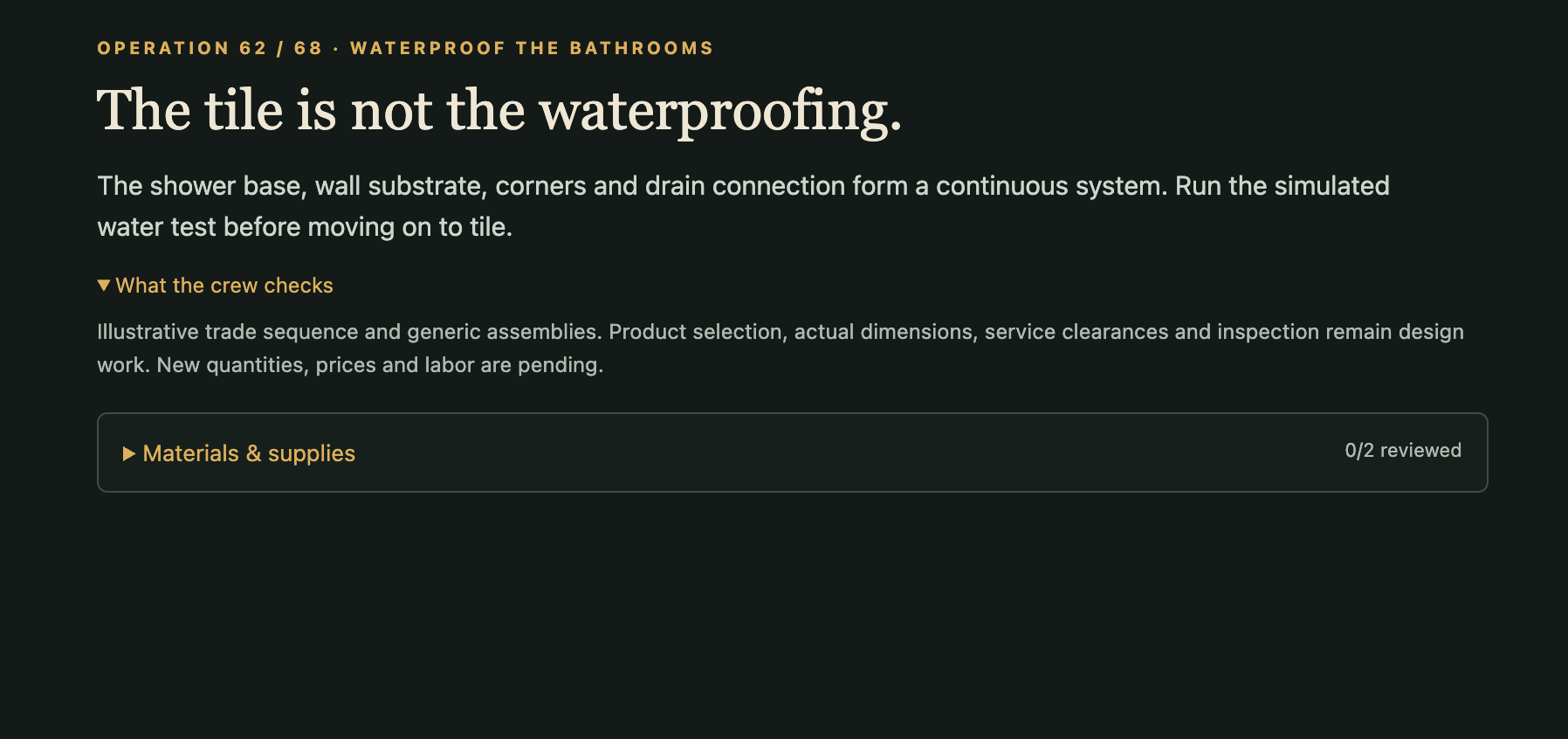
For the shower, that could mean choosing a compatible assembly, preparing the base and drain, dealing with seams and corners, then testing it before covering it in tile. A problem should give you something to investigate and fix. I want the extra detail to involve doing and deciding, not just reading a longer explanation.
The current build already has a simple water-test exercise with a corner repair and a retest. The longer version, and the ability to choose job depth, aren’t built yet. This is a decision about where we take the game from here. We also need to replace those vague “remain design work” notes with clearer explanations of what’s unfinished, what we’ve deliberately simplified, and what depends on the particular building or product.
Separately: that camera menu was taking up too much room
There was another thing bothering me while I was looking around the house. Free Explore had this big panel across the bottom of the screen, with a row of arrows and separate Rise and Lower buttons. It worked, but I didn’t want that much interface sitting in front of the cabin.
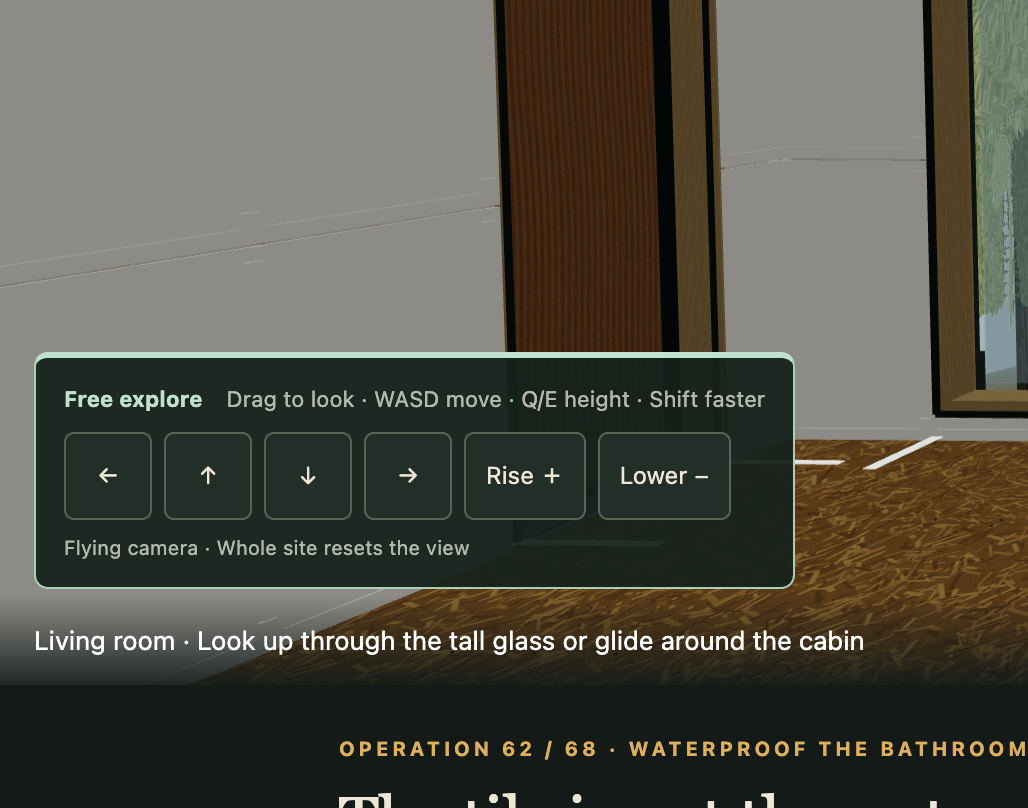
I asked for a sphere in the middle that you could drag to look around, with arrows around it. Codex has now built that version locally. I then asked to put it on the right, where it felt more natural with the mouse in my right hand. There’s a swap-sides button if you prefer it on the left, and it remembers that choice. Left and right move you sideways; up and down change your height. Scrolling over the pad moves you forward or backward, and touchscreen users can pinch the sphere. Dragging directly on the scene turns the camera too; you don’t have to use the sphere. WASD is still there if you prefer the keyboard.
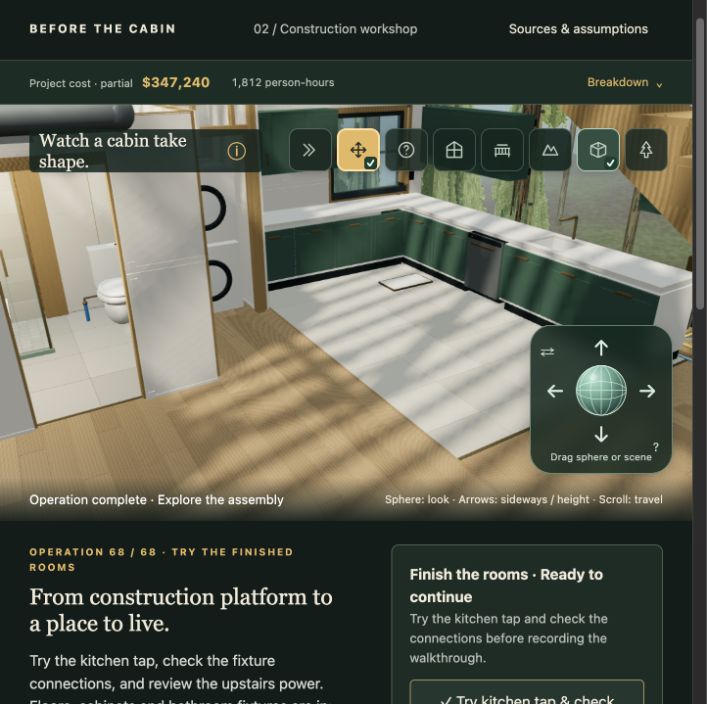
The upper-right camera panel is still useful for quick view changes. You can jump to the living room, the deck or the whole site, switch the inside view, and get to Free Explore and the scenery controls. It expands when you want the labels and collapses to little icons that still show what’s selected. I also noticed Free Explore looked switched on when it wasn’t, so it now turns yellow only when it’s active—in either menu size. The lower-right pad is for moving around once you’re there.
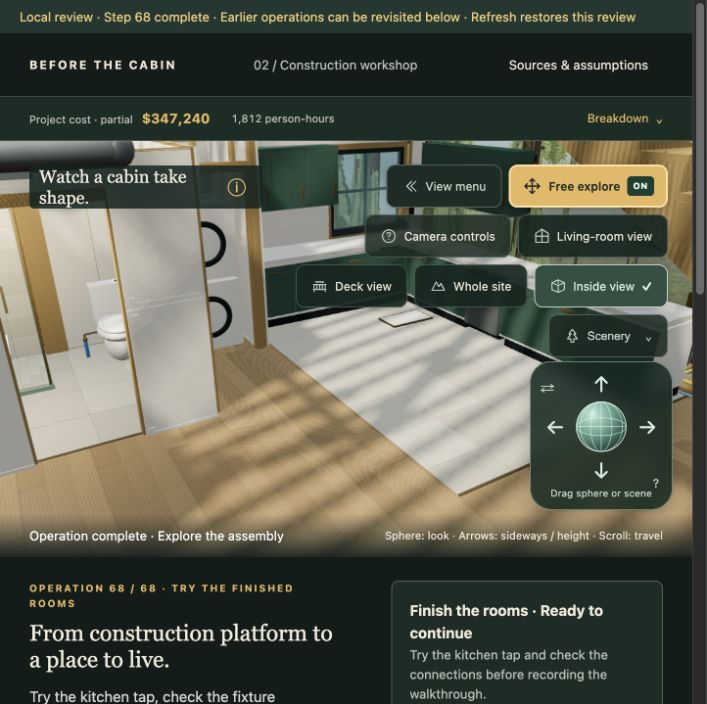
I expect the sphere to be easier to figure out, but we still need to see how it feels for other people. At least I can now look around without a big row of movement buttons covering the room I’m trying to inspect.
These are two separate changes to the experience: more depth where the player wants it, and less screen space spent on moving the camera. The compact camera control is ready to try. The more detailed construction jobs are something we’ll build out as we go.
Update · October 5, 2026: The 68-step workshop and camera improvements are now available in the public game. Optional job depth remains planned.
Entry 006 by Nick Waine, prepared with Codex. Screenshots document the local build on October 3, 2026.